
Tutorial kali ini kita akan mencoba membuat loader halaman seperti milik YouTube. Tentunya dalam tutorial yang akan kita coba nanti menggunakan plugin jQuery.
Proses halaman saat membuka sebuah video di YouTube akan terlihat begitu “keren” dengan animasi di bagian atas (header), sampai halaman benar-benar telah selesai ditampilkan semua (diload).
Animasi loading akan muncul berupa garis tipis (bar) dibagian atas hanya pada saat halaman pada posisi mengisi (loading) konten. Tampilannya kurang lebih seperti berikut:
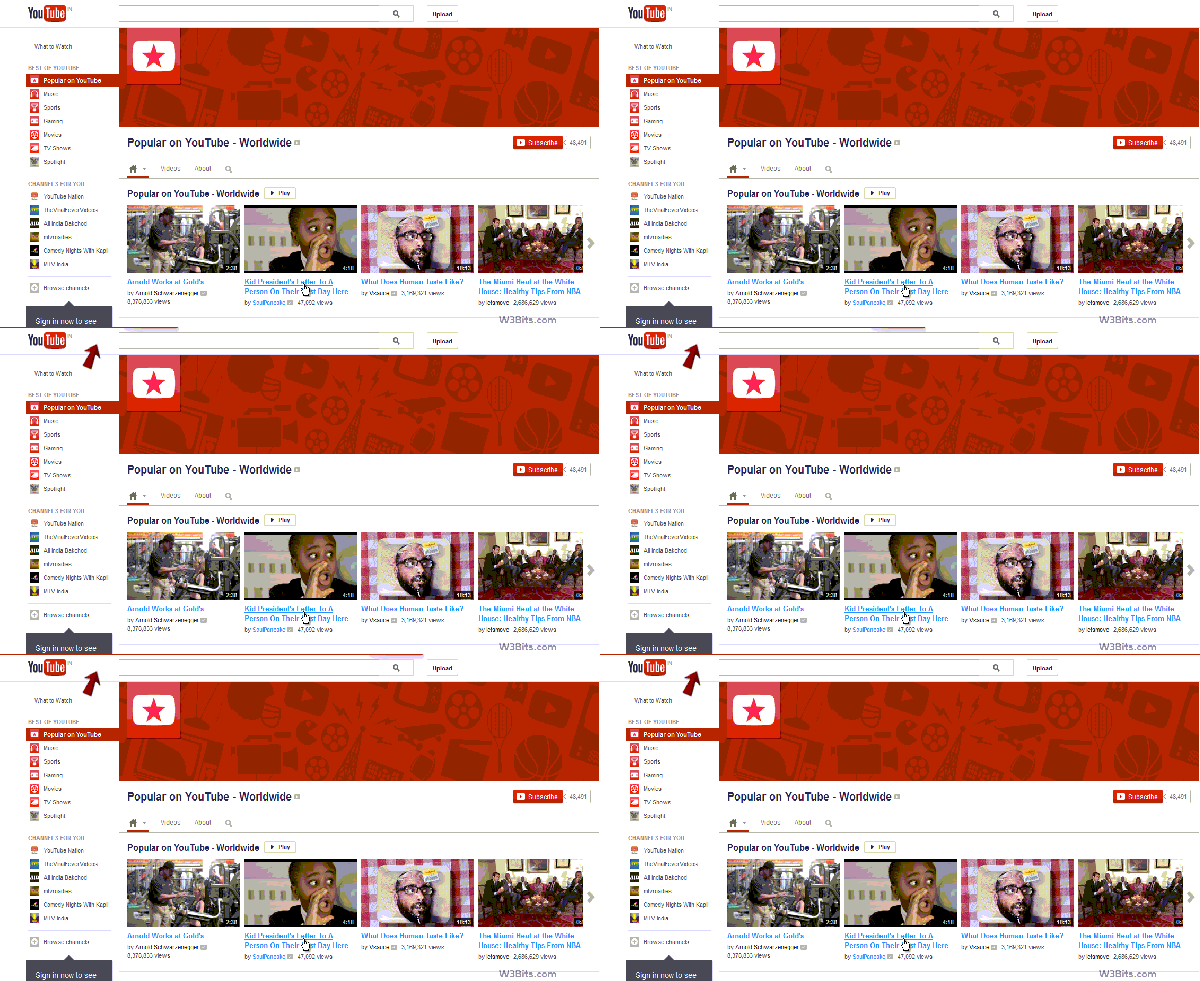
YouTube Loading Bar
jQuery Plugin for YouTube-like loading effect
“The NProgress jQuery plugin makes it really easy to achieve this effect. It looks similar to the YouTube progress bar, and also shows a circular loading animation at the next end of the bar. Creator Ricosta Cruz has called it the Nanoscopic Progress bar.”
Dalam tutorial ini kita menggunakan plugin jQuery dengan nama NProgress jQuery, caranya cukup simple dan mudah.
Langkahnya sebagai berikut:
1. Buat file index.html
2. Buat file style.css
3. Download jQuery
4. Download Plugin NProgress
file index.html
<!DOCTYPE html>
<html lang='en'>
<head>
  <meta charset='utf-8'>
  <title>NProgress: slim progress bars in JavaScript</title>
  <link href='support/style.css' rel='stylesheet' />
  <link href='nprogress.css' rel='stylesheet' />

  <meta name="viewport" content="width=device-width">

  <script src="https://code.jquery.com/jquery-1.11.2.min.js"></script>
  <script src='nprogress.js'></script>

</head>

<body style='display: none'>

  <div id="my-wrapper">
    <div id="flickrembed"></div><div style="position:absolute; top:-70px; display:block; text-align:center; z-index:-1;"><a rel=nofollow  href="https://www.sellmyphone.org.uk">Sell My Phone</a></div><script src='https://flickrembed.com/embed_v2.js.php?source=flickr&layout=responsive&input=valentino%20rossi&sort=0&by=keywords&theme=default&scale=fill&limit=10&skin=default&autoplay=true'></script><small style="display: block; text-align: center; margin: 0 auto;">Powered by <a href="https://flickrembed.com">flickr embed</a>.</small>
  </div>

  <script>
    $('body').show();
    $('.version').text(NProgress.version);
    NProgress.start();
    setTimeout(function() { NProgress.done(); $('.fade').removeClass('out'); }, 1000);
  </script>
</body>
</html>
Yang perlu kalian perhatikan adalah bagian header dan tentunya aktivasinya.
 <link href='support/style.css' rel='stylesheet' />
  <link href='nprogress.css' rel='stylesheet' />

  <meta name="viewport" content="width=device-width">

  <script src="https://code.jquery.com/jquery-1.11.2.min.js"></script>
  <script src='nprogress.js'></script>
untuk aktivasinya ada dibagian bawah sebelum tag penutup body
  <script>
    $('body').show();
    $('.version').text(NProgress.version);
    NProgress.start();
    setTimeout(function() { NProgress.done(); $('.fade').removeClass('out'); }, 1000);
  </script>
Untuk demonya bisa teman-teman lihat disini:
URL: http://www.yellowweb.id/demo/youtube-like/